



SecureTransport secures your file transfers. Working in tandem with Automator, you can orchestrate them and integrate them into a comprehensive processing workflow that you can track from start to finish.
Automator lets you control when, in what order, and under what conditions your transfers should be triggered. By embedding them in an application workflow, you manage the exchange process from start to finish.
How to Orchestrate SecureTransport with Automator
Automator lets you define conditional job sequences. Here, a “job” refers to the smallest unit of execution, which can be a batch, an API call, or an interaction with an application. Automator offers a wide range of integration and control capabilities. The modeling of job sequences is entirely graphical—no coding required.
Below is an example of a job sequence involving file transfers
- Retrieving data from different regions of the world
- Processing in SAP
- Storage in S3
The scheduler provides:
- Management of dependencies between jobs
- Scheduling of job execution
- Management of business calendars
- Support for event waiting
Examples:
- Transfer files only after the accounting period has closed
- Wait for a file to become available
- Trigger the workflow only on business days
Scheduling rules allow you to describe complex conditions using a “no-code” interface. For example, you can set the job to run on the last Tuesday of the month, but if that Tuesday is a holiday, then run it on the first preceding business day.
Defining a Secure Transport Job
Within a graph (job sequence), you can configure a transfer to trigger upon detection that a file has been generated.
Illustration of creating a new SecureTransport job based on the Transfer Admin APIs.
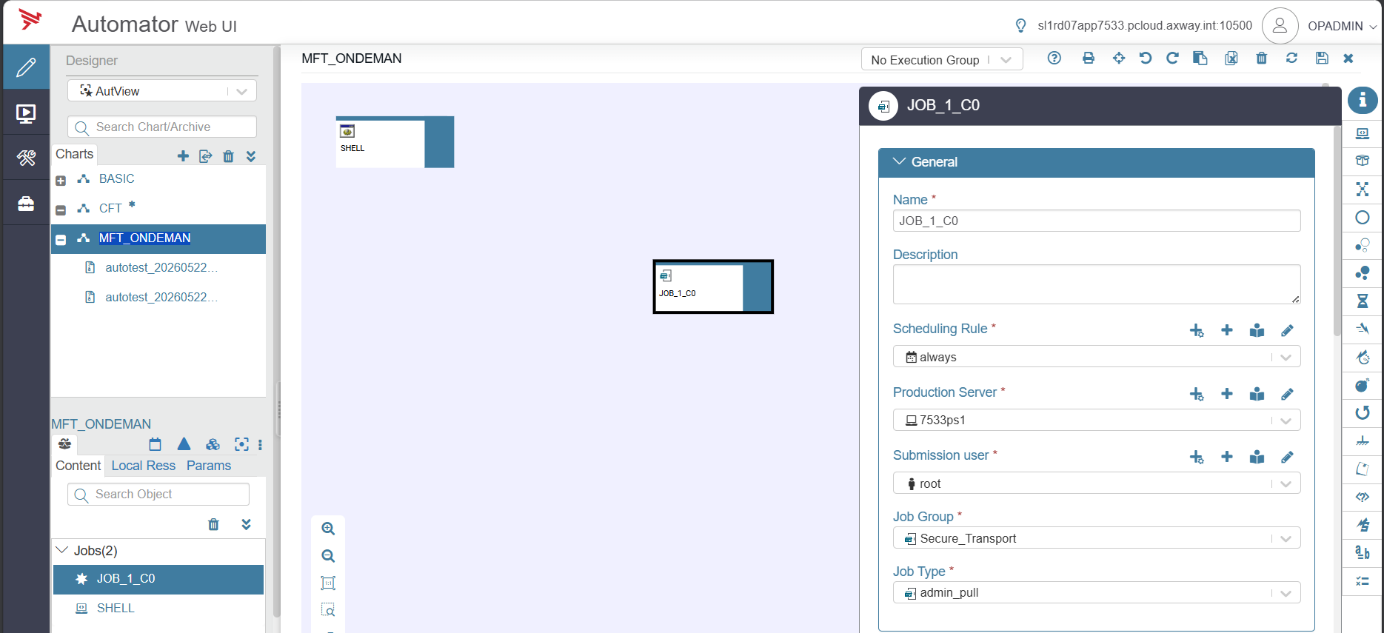

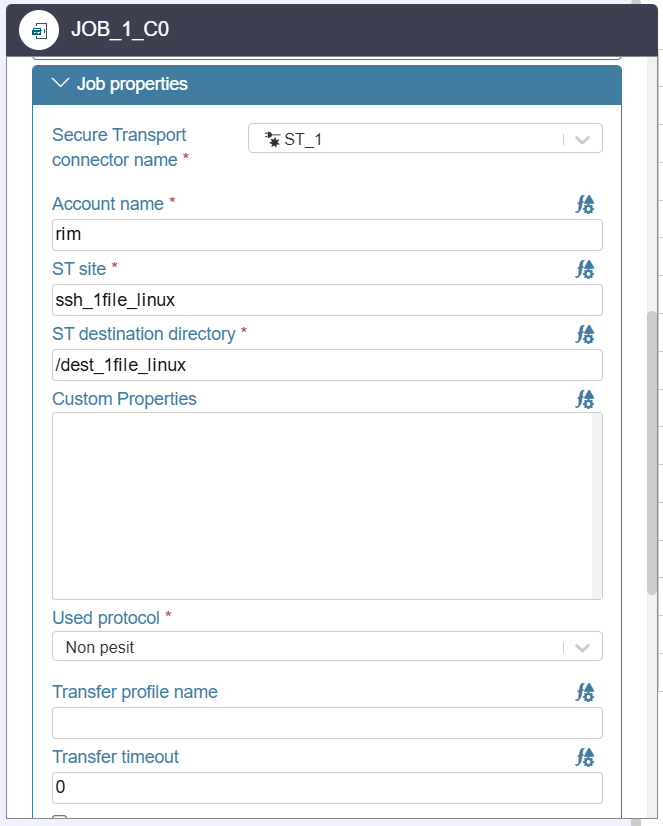
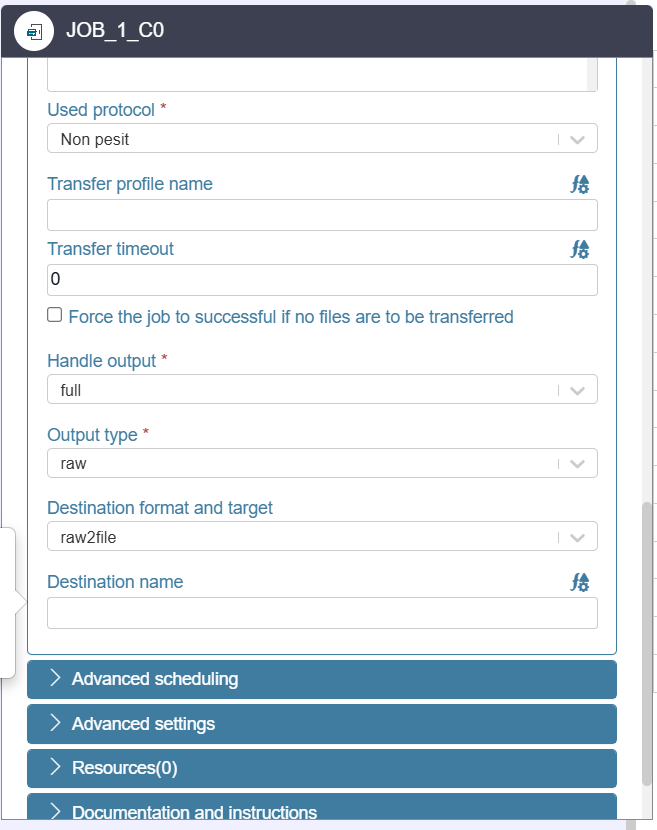


The job is triggered according to a scheduling rule to execute an “Admin Pull” transfer, specifying the ST Site server, a specific account, and a destination directory. Other parameters, such as the Transfer Profile, are available, particularly for the PeSit protocol.
Context provided via an Automator graph integrating SecureTransport jobs across applications deployed by region (EMEA, US, and APAC).
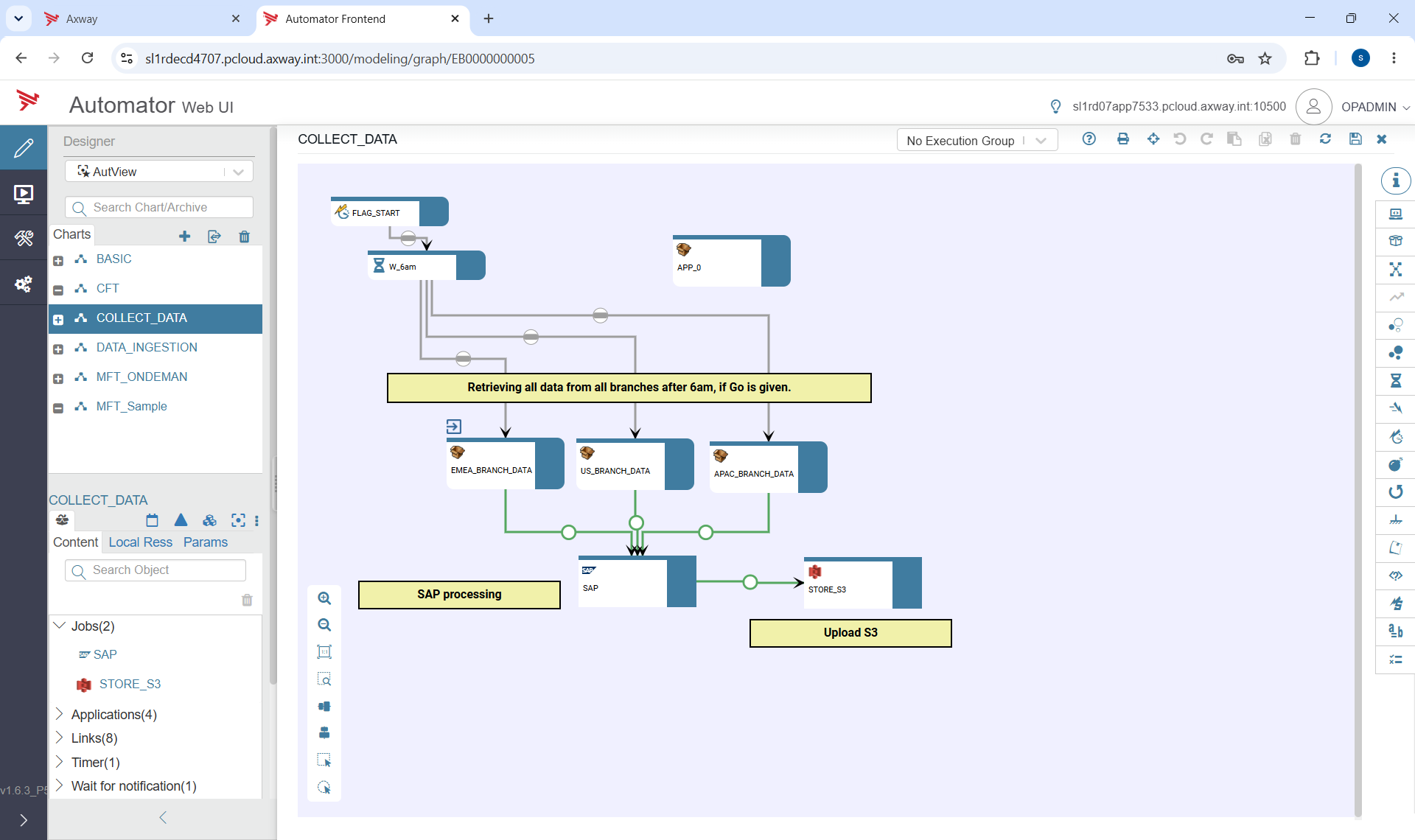

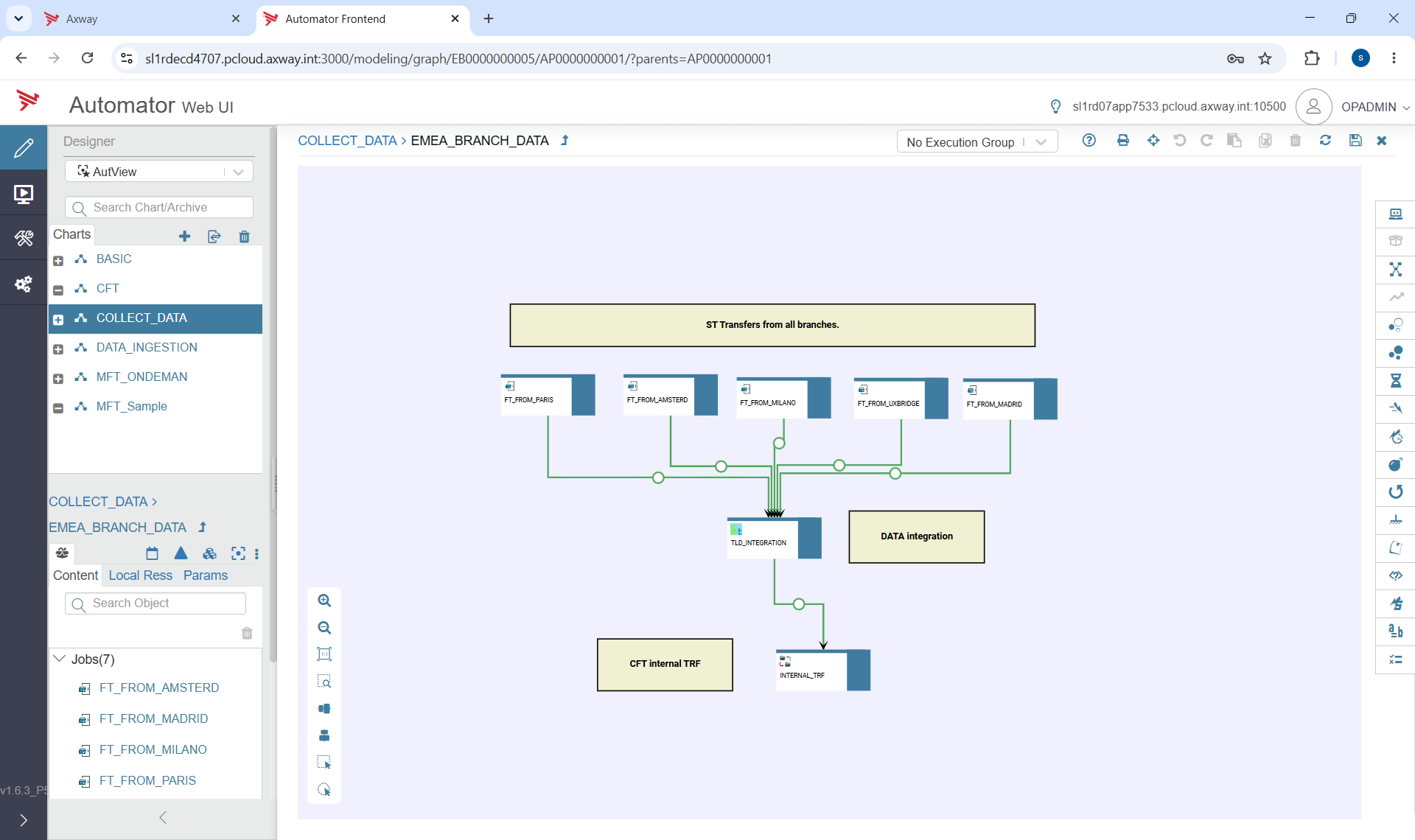
SecureTransport becomes one component among others:
- API, MQ, ETL, cloud storage, batch, backup
Automator allows you to combine these different types of jobs into a single workflow.
Managing executions from the Automator interfaces
Using dashboards created from a library of widgets, you can easily manage operations on an exception basis or even identify execution delays.
Summary metrics provide an overview of your production environment: errors, excessively long executions, delays, etc.


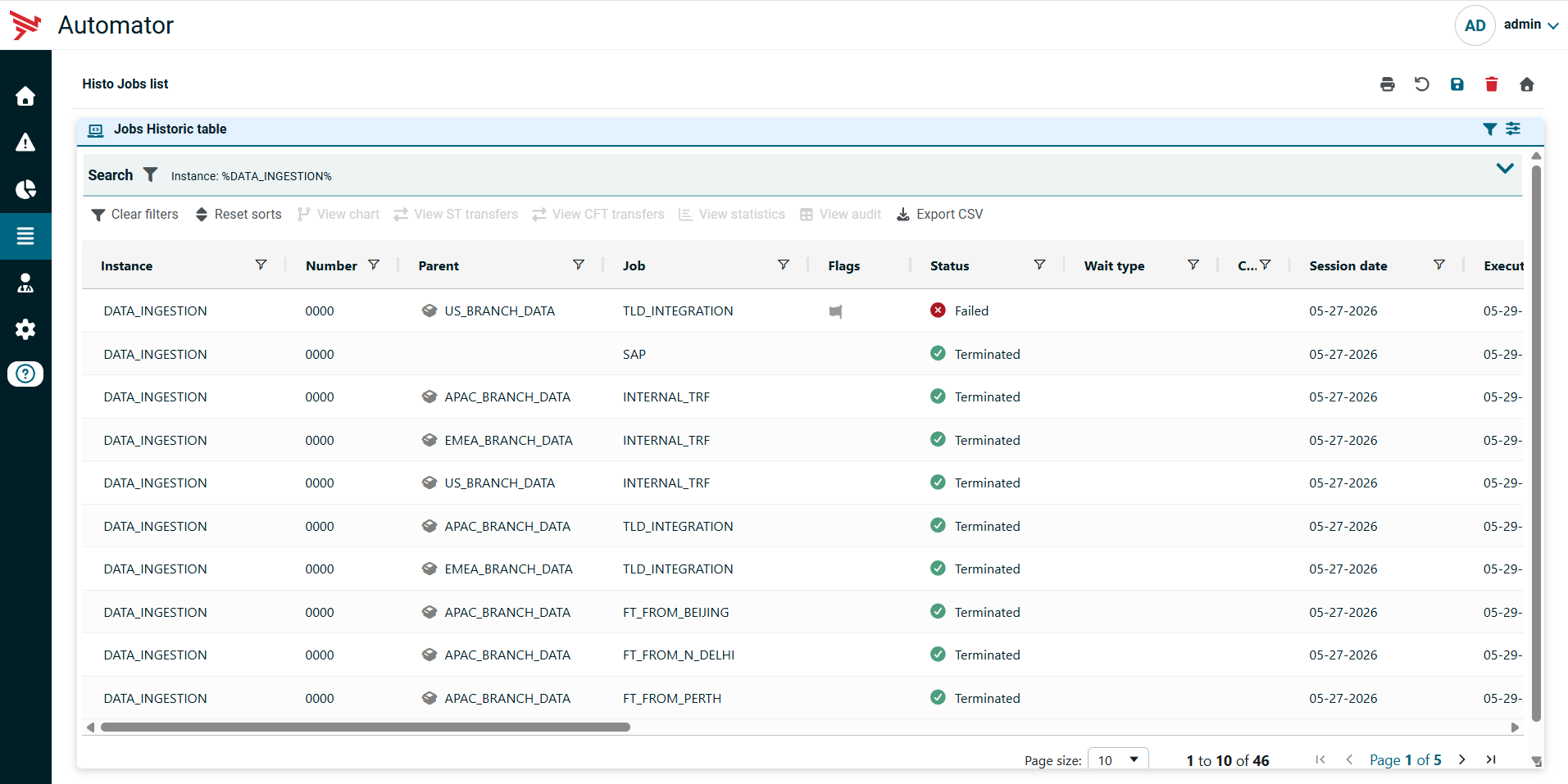
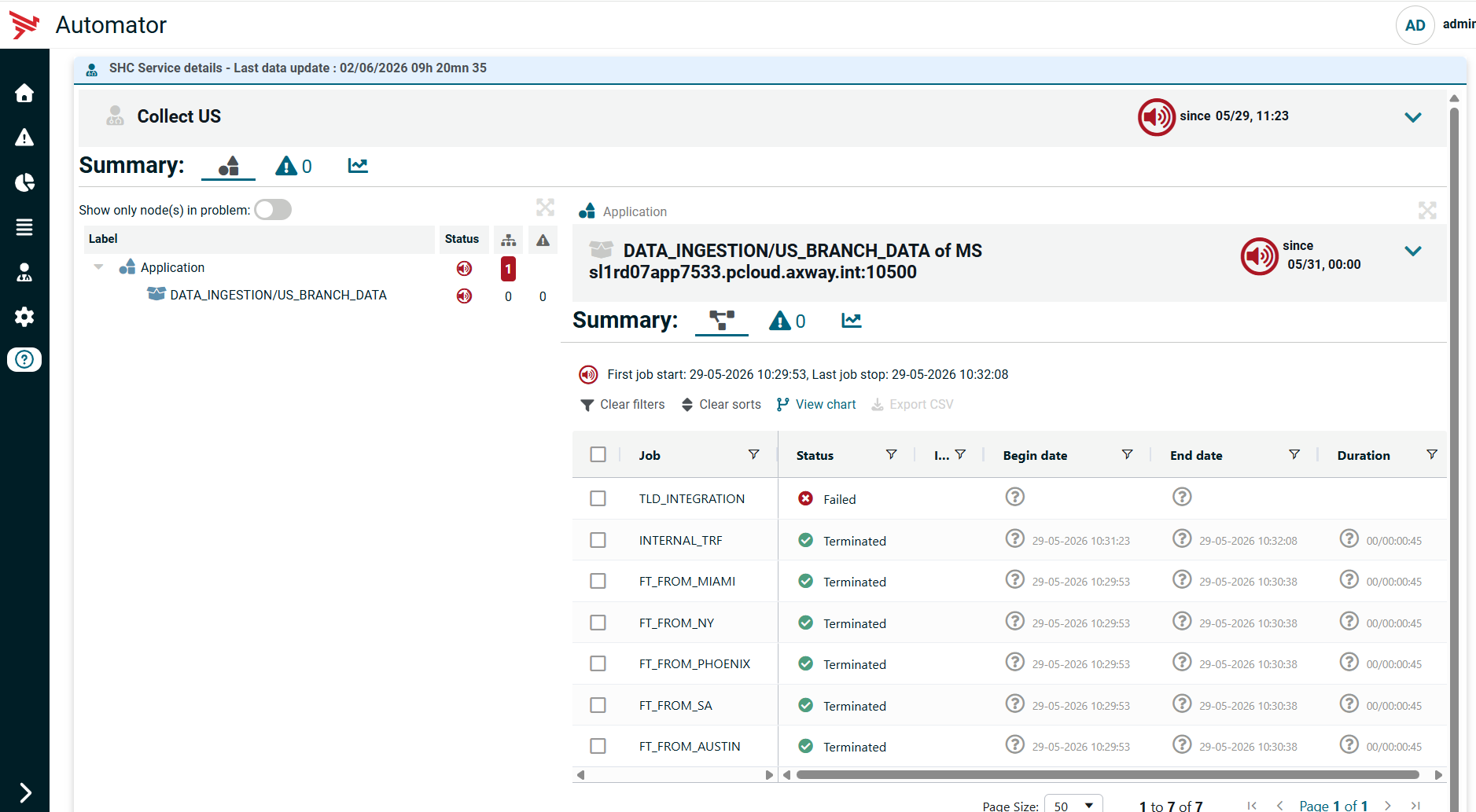
Detailed monitoring is available, allowing you to analyze the execution of this workflow (DATA_INGESTION graph instance) as a whole, as well as the associated transfers for Secure Transport jobs

You can also view a graphical representation of its execution: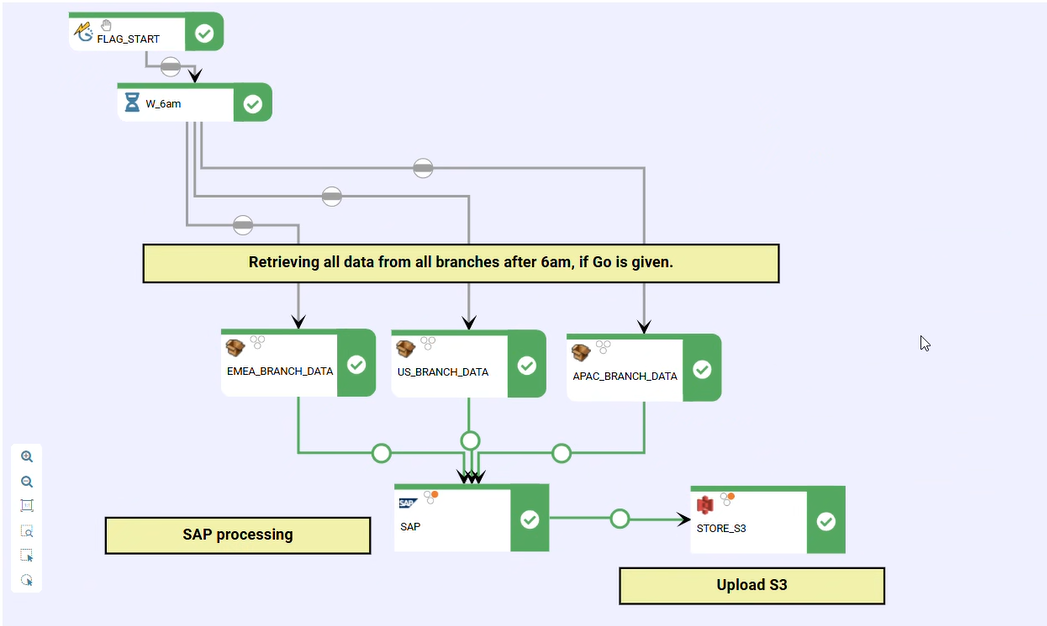
All transfer steps initiated by the job are listed along with their status and key properties. You can copy the identifiers to continue your analysis from the Secure Transport administration interface.

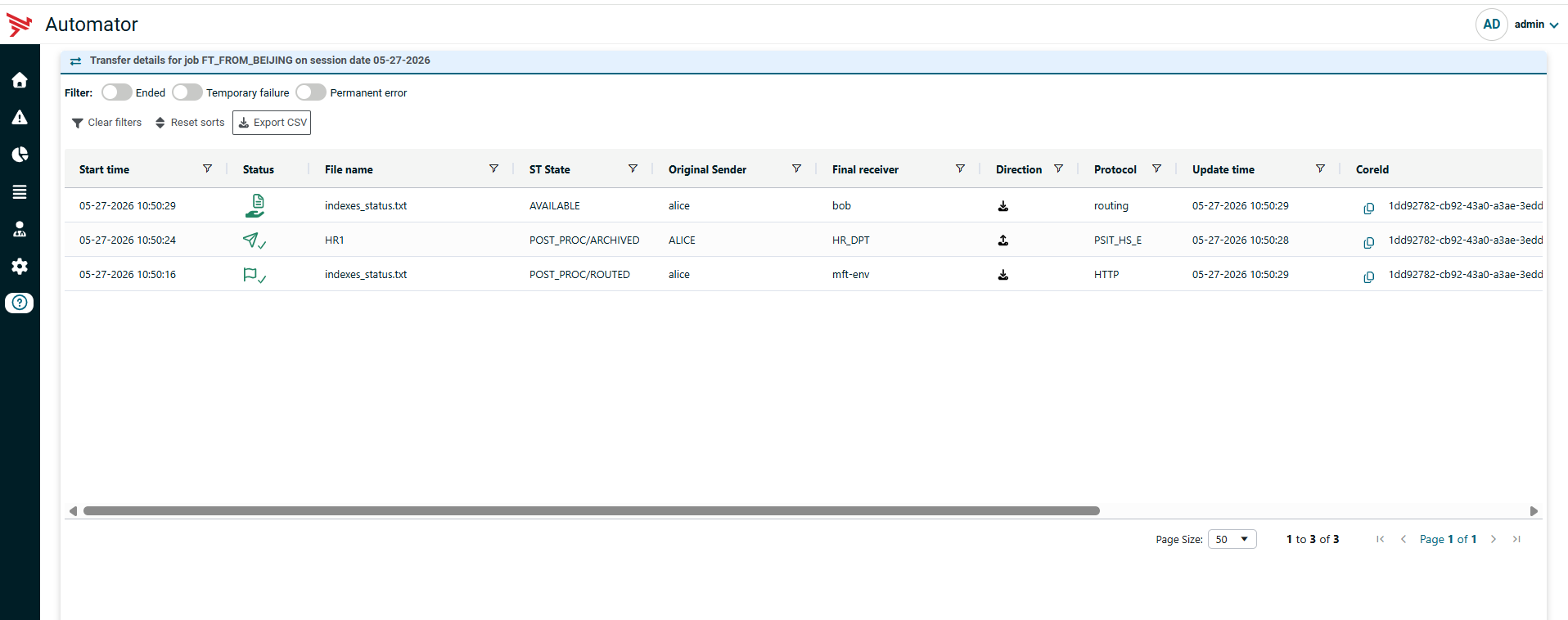

From the Automator interface, you can access various details for each transfer step:
- Detailed Information
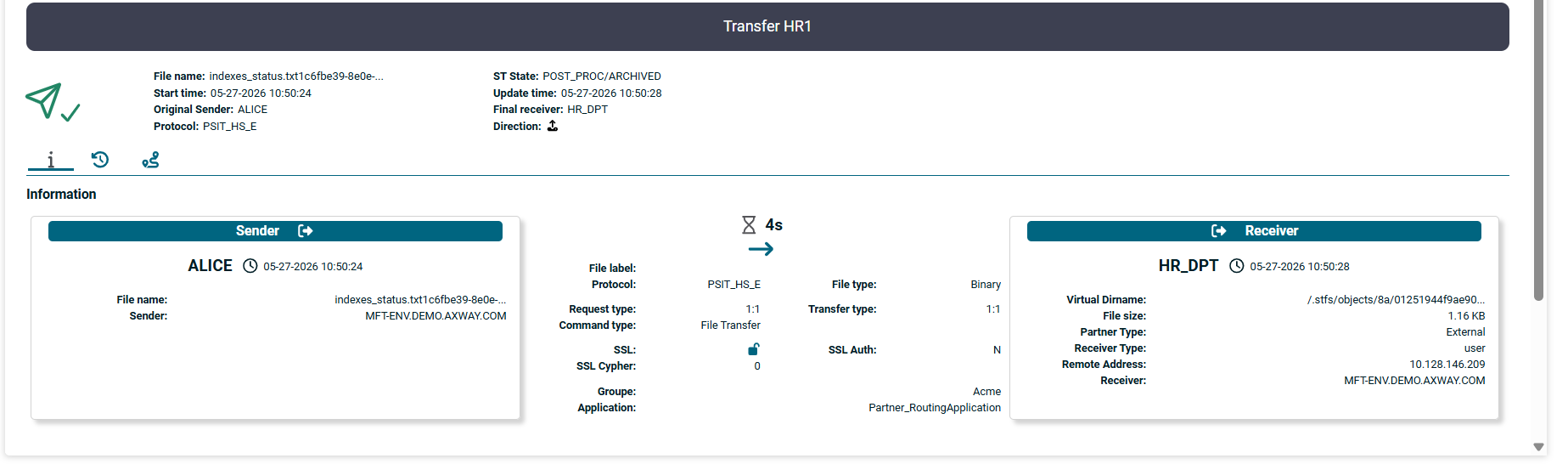

- Status history
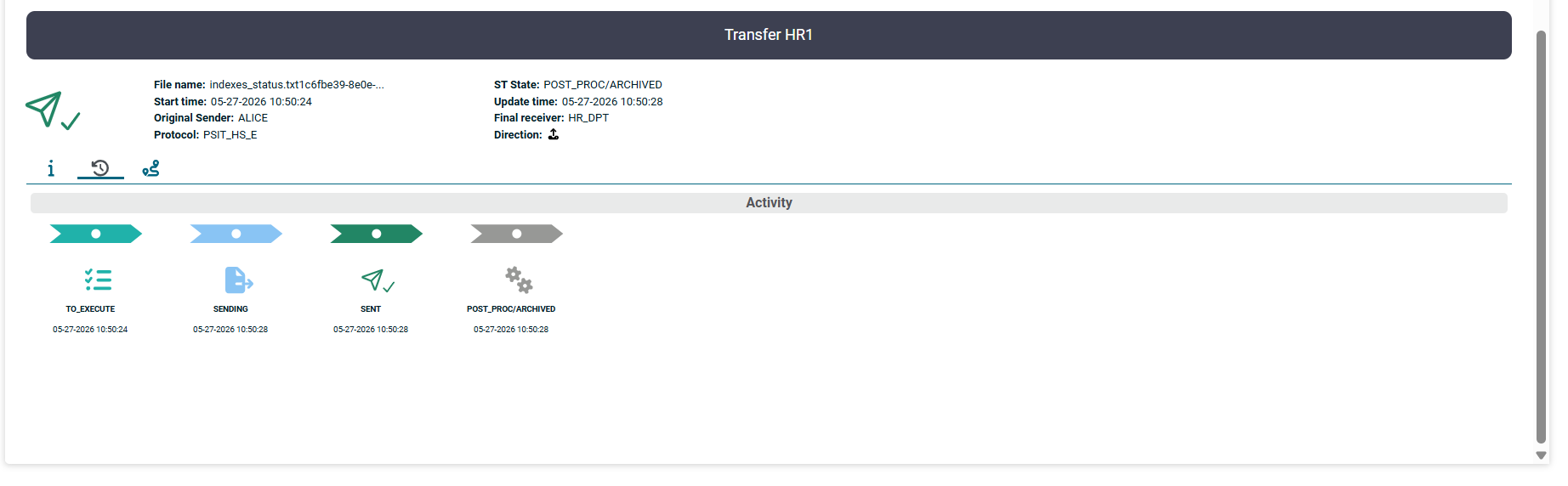

- Context within the Secure Transport path
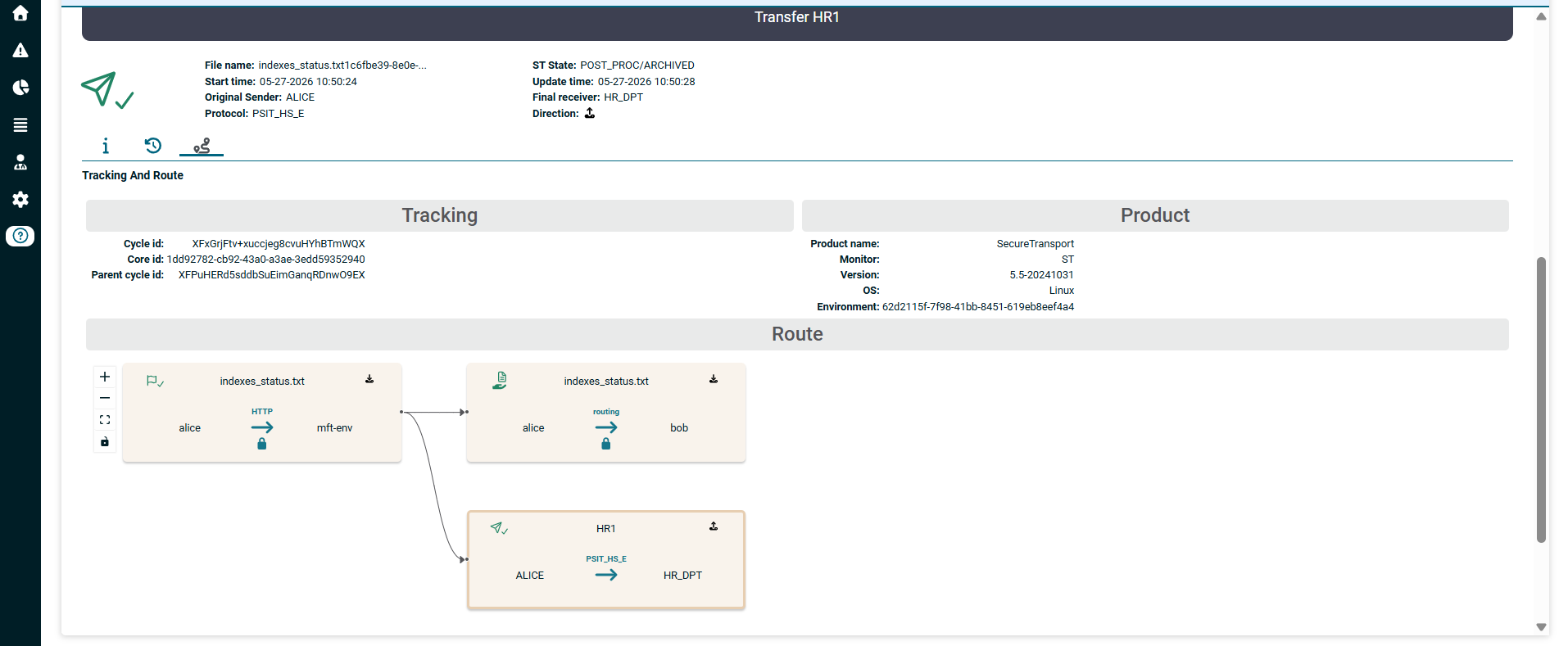

Monitoring can be organized from a purely business perspective by grouping Automator instances and applications into functional groups called services
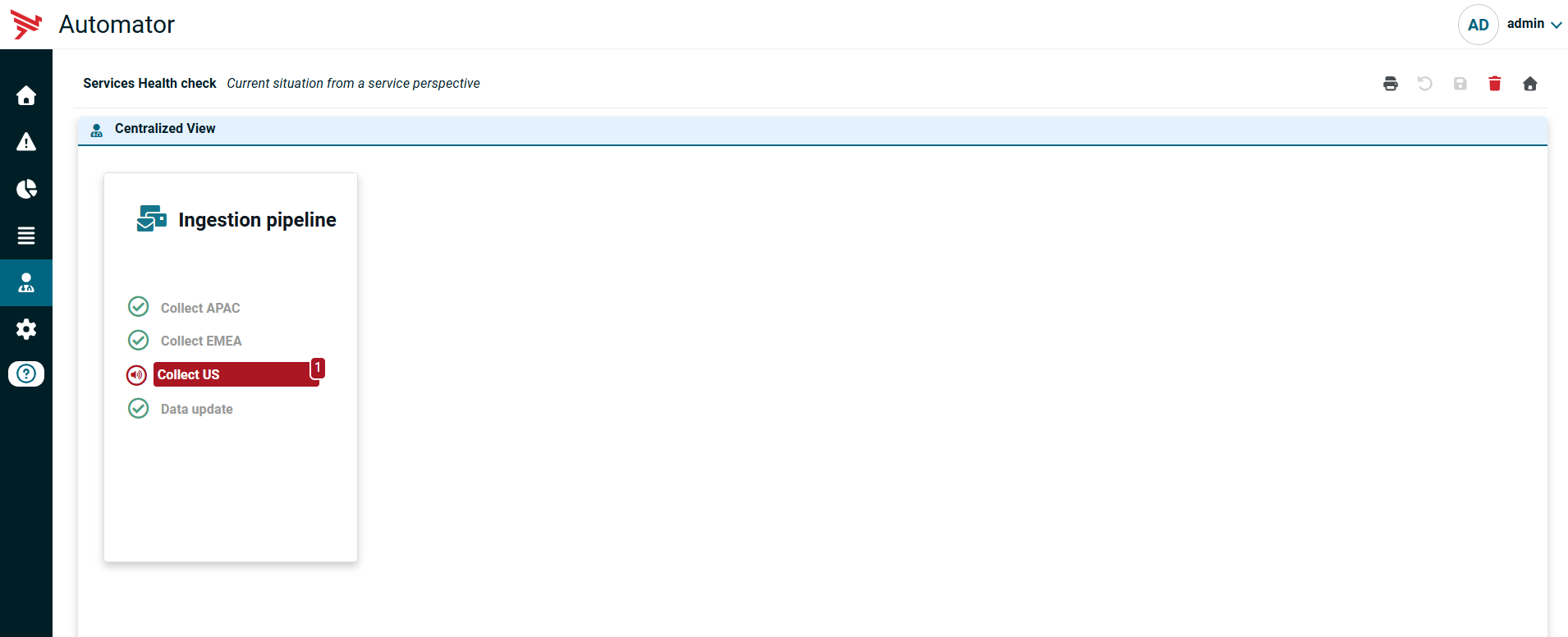

and configurable technical or business families (Application node in the tree on the left) within these services. The application name (here, DATA_INGESTION/US_BRANCH_DATA) can also be replaced with a label that is understandable to business users.

Give your MFT operations a fresh boost
The Automator and SecureTransport combination enables:
- Standardization of data flows
- The use of reusable workflow templates
- Reduction of specific scripts that are difficult to maintain
SecureTransport secures transfers, while Automator automates their execution and integrates them into a business view.
Combining these two solutions delivers:
- Job orchestration
- Combined monitoring of Automator jobs and SecureTransport transfers
- Resilience at both the job and transfer levels
- A cross-functional governance dashboard
- Job parallelization across multiple production servers
The SecureTransport Automator solution addresses the challenge of operational management and the industrialization of information systems.
Go beyond the traditional to elevate business performance with Axway Automator